Applies to: BC Toolbox apps for Dynamics 365 Business Central
To activate your BC Toolbox licensing, RUX needs your Activation Tenant ID for each environment you want licensed (production and any sandboxes).
Important: The Activation Tenant ID is not the same as your Microsoft tenant ID. It's a separate value generated by the app.
Where to find it:
- Install the BC Toolbox app in your Business Central environment (if you haven't already).
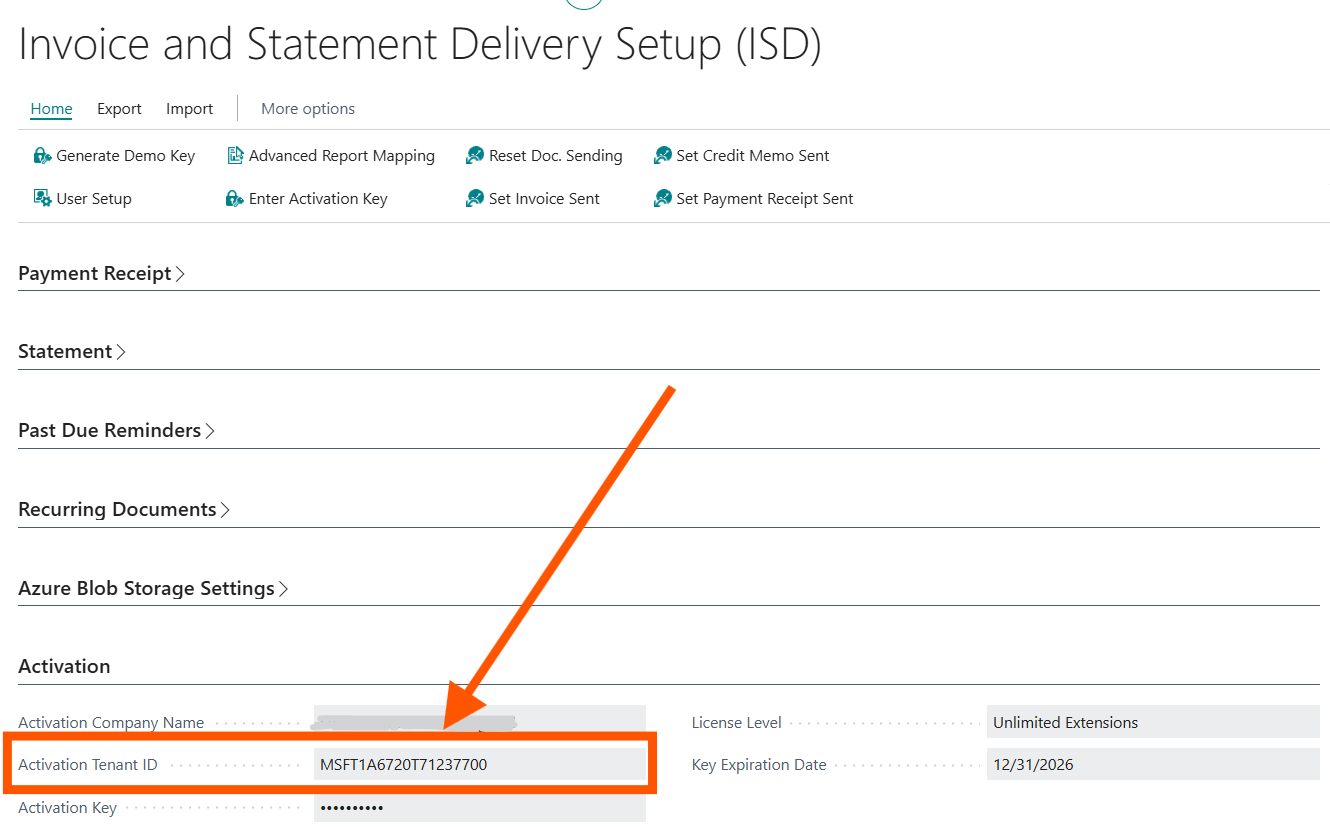
- Open the app's Setup page in Business Central.
- The Activation Tenant ID is shown on that Setup page.
This video walks through exactly where it's located: https://www.youtube.com/watch?v=lfY7GNg5FAI
What to do next: Reply to your activation ticket (or email) with the Activation Tenant ID for your production environment and any sandboxes. Once we have it, we'll send back your Activation Key to enter on that same Setup page.
Was this article helpful?
That’s Great!
Thank you for your feedback
Sorry! We couldn't be helpful
Thank you for your feedback
Feedback sent
We appreciate your effort and will try to fix the article